CLI & TUI
Mission control, in your terminal.
The appen CLI is the terminal-native surface: script every object from the shell, or open the full-screen Mission Control: the fleet, the rulebook, and the live authorization log in one view. It talks to the same API your agents use, and it ships with your invite.
$ appen login                 # email/password → ~/.appen/config.toml (0600)
$ appen                       # open Mission Control

# or stay in flat-shell mode:
$ appen whoami                # auth mode, business, API health
$ appen declare --merchant "Tony's" --amount 75.00 --category food
DENIED  Tony's  $75.00
  ✓ merchant_lock    'Tony's' matches allow-list entry 'pizzeria'
  ✗ amount_ceiling   $75.00 exceeds $30.00 max
$ appen watch                 # live tail of every decision
Mission Control
The real thing, running against the live API; every panel is live data:
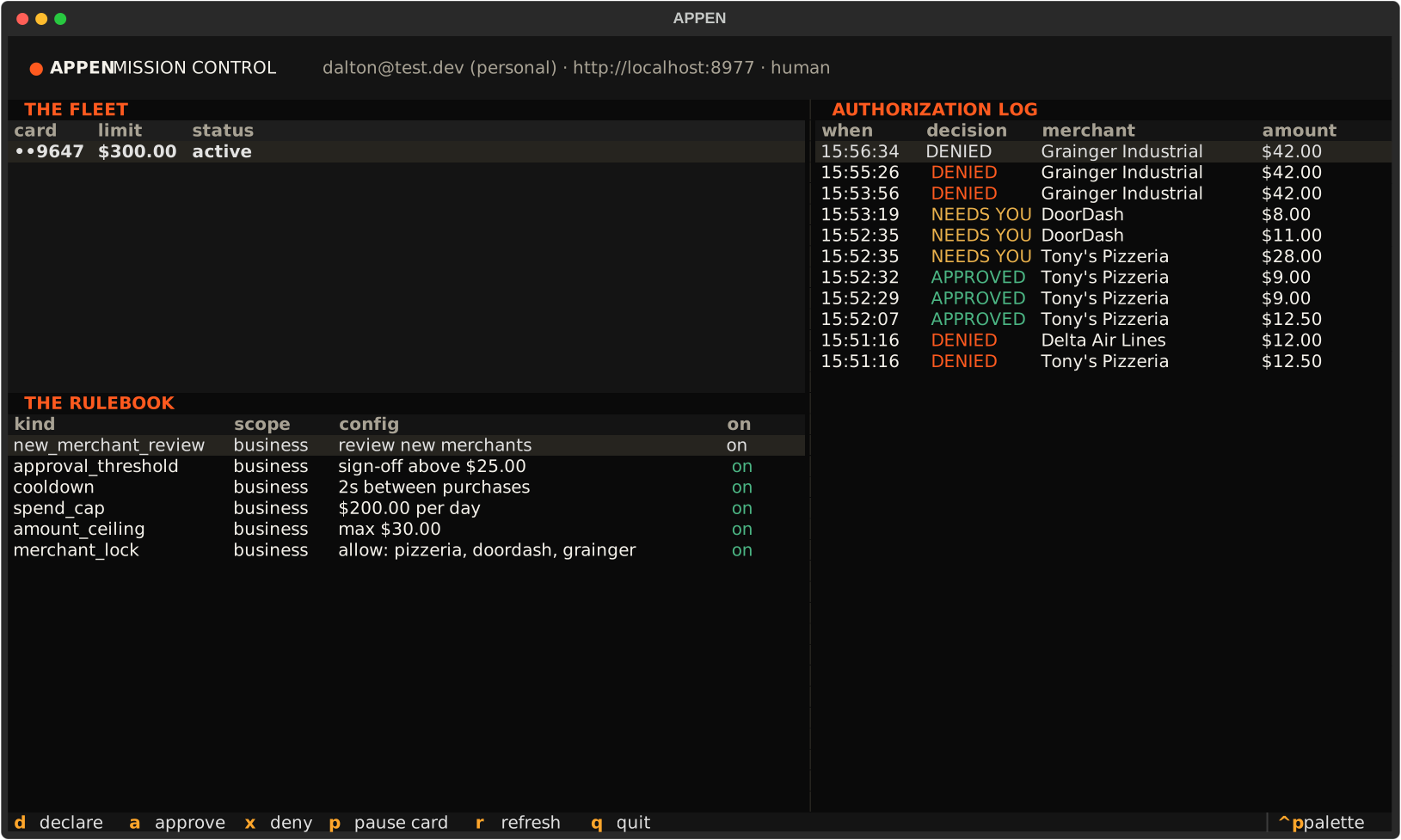
d declare · a approve · x deny · p pause card · r refresh · q quit
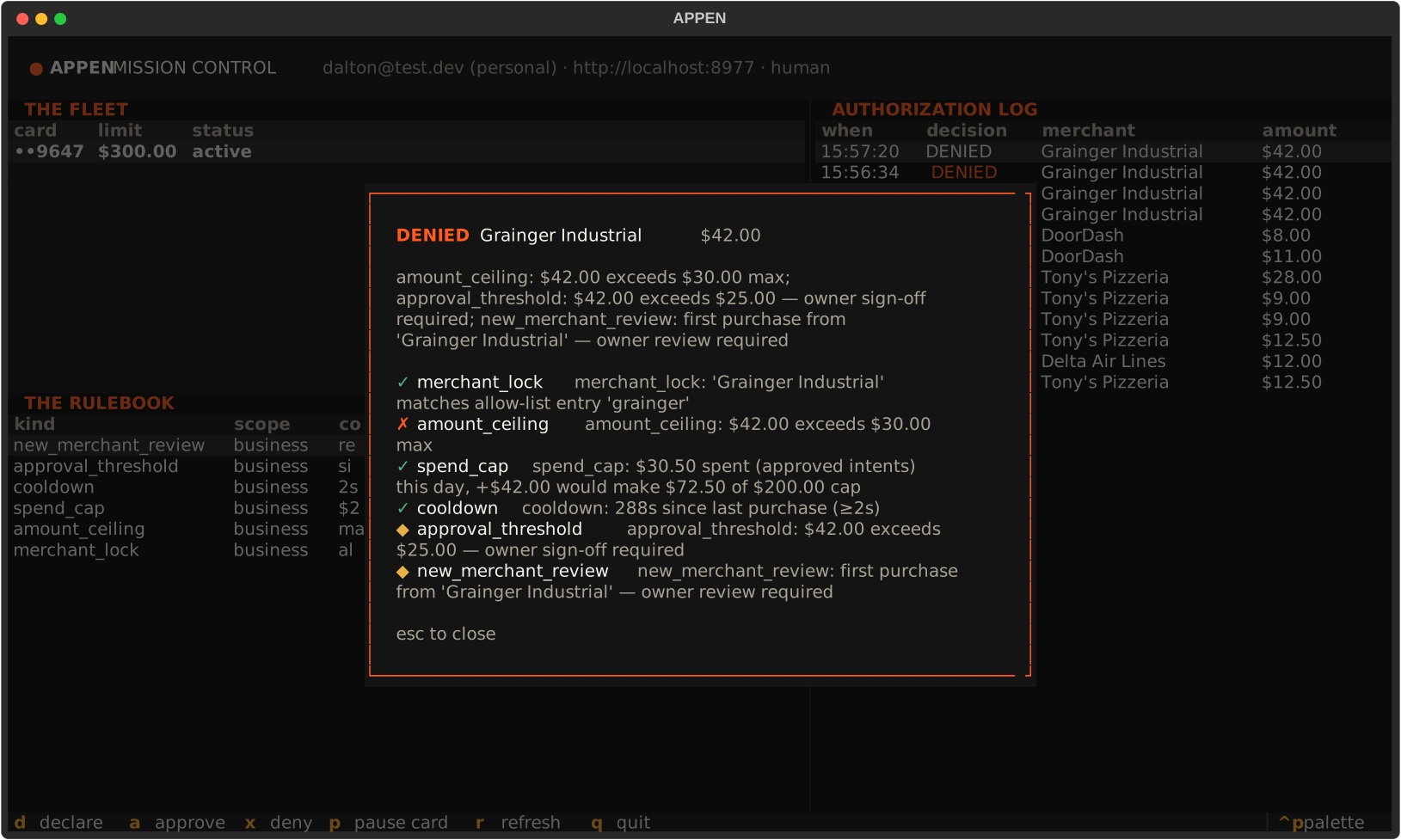
The verdict screen
Declare from inside the TUI and the per-rule verdict renders on the spot: every rule, pass or fail, with its reason.
Agent mode
export APPEN_AGENT_KEY=ak_live_...
appen declare --merchant "DoorDash" --amount 11.00 --category food   # works
appen watch                                                          # works
# approving, pausing, minting keys → 403, exactly like the API:
# the terminal enforces the same dual-principal boundary everything else does
WHERE THIS RUNS TODAY
The rule engine decides every declared intent today — live in the API, the MCP server, and the demo. Enforcement on real card swipes begins at our BIN connection with our issuing partner, when the same pre-authorized, user-directed policies execute inside the network authorization step. Card issuance opens by invite once our issuing-partner sandbox is live.